Getting Started
The Prompt Academy's free course is designed for non-technical professionals. It covers how your agent thinks, how to give it great instructions, and how to get the most out of every interaction. Highly recommended before or after setup.
Start the free courseBefore You Begin
MULTIFY works right in your browser, the desktop app, and the mobile app — native chat is the everyday way to use it. There's nothing to install to get started: sign up, open chat, and start delegating. If you'd like your agent to reach you on other channels too, you can connect Telegram or iMessage/SMS as optional add-ons — with Slack coming soon.
Step 1 — Subscribe to MULTIFY
Step 2 — Start Chatting
Optional — Connect Telegram
Want your agent in your pocket on Telegram too? Connect it as an add-on in a couple of minutes. Prefer Apple Messages? Set up iMessage/SMS instead. Both are optional — skip them if native chat is all you need. (Slack is coming soon.)
@BotFather and start a conversation. Type /newbot, give your bot a name, and BotFather will give you a bot token (a long string of characters). Copy this token — you'll paste it into your dashboard.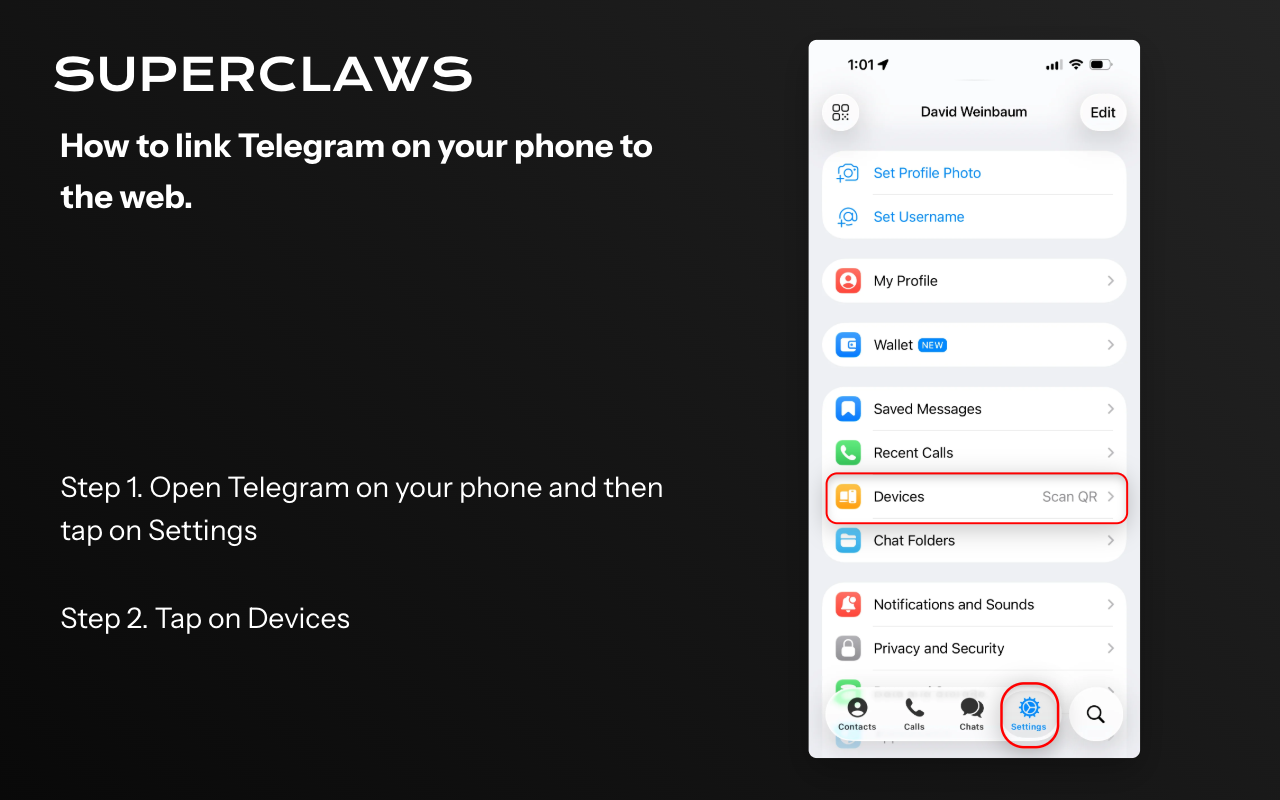
Open Telegram on desktop and click the menu icon, then select Settings.
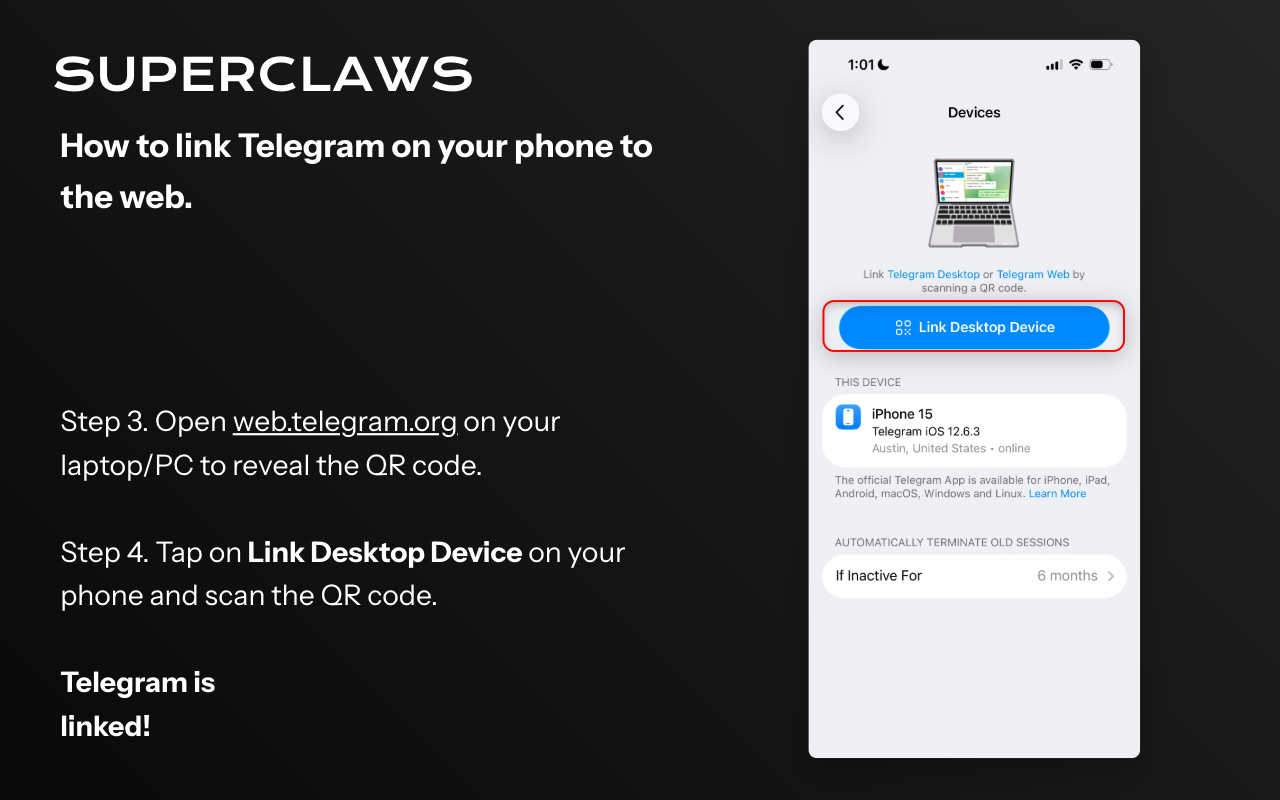
Go to Devices → Link Desktop Device and scan the QR code with your phone.
Your First Commands
There's no manual to memorise. Just talk to your agent the way you'd message a smart colleague. Here are a few things to try right away:
Tips for Best Results
- Be specific. The more context you give, the better the output. Instead of "write an email," try "write a 3-sentence follow-up email to [name] at [company] regarding [topic]."
- Iterate. If you don't love the first response, just reply: "Make it shorter," or "Add a more confident tone," or "Give me 3 versions."
- Ask questions. Your agent can help you think through problems, not just execute tasks. Ask "What should I consider before sending this proposal?" and see what it says.
- Use it daily. The more you use it, the more you'll find to delegate. Start small and build from there.